Couple weeks ago Adobe announced Lightroom 4.2 and Camera Raw 7.2 Final Releases. I tested them to see if there any improvement for Fuji RAF files. I took a shot of a leafy scene with image quality F+RAW and image size L3:2. RAF file was converted using three methods: ACR 7.2, in camera and Silkypix. OOC jpeg is posted as is.
After careful inspection and comparison I came to conclusion that, unfortunately, ACR 7.2 didn't address the issues with "water color, smearing" effect. OOC and In-camera converted files are identical. Silkypix still produces more natural colors and resolution/details.
Thanks,
vkphoto
Showing posts with label water colour. Show all posts
Thursday, 11 October 2012
Monday, 24 September 2012
X-PRO 1 RAW file processing
As you all aware there is an issue with with X-PRO 1 raw files. Lightroom creates a watercolor effect and provided Silkypix converter creates washed out images and it is too cumbersome to use. But I was and still am extremely happy with OOC jpeg files. Images are clean, colorful and sharp.
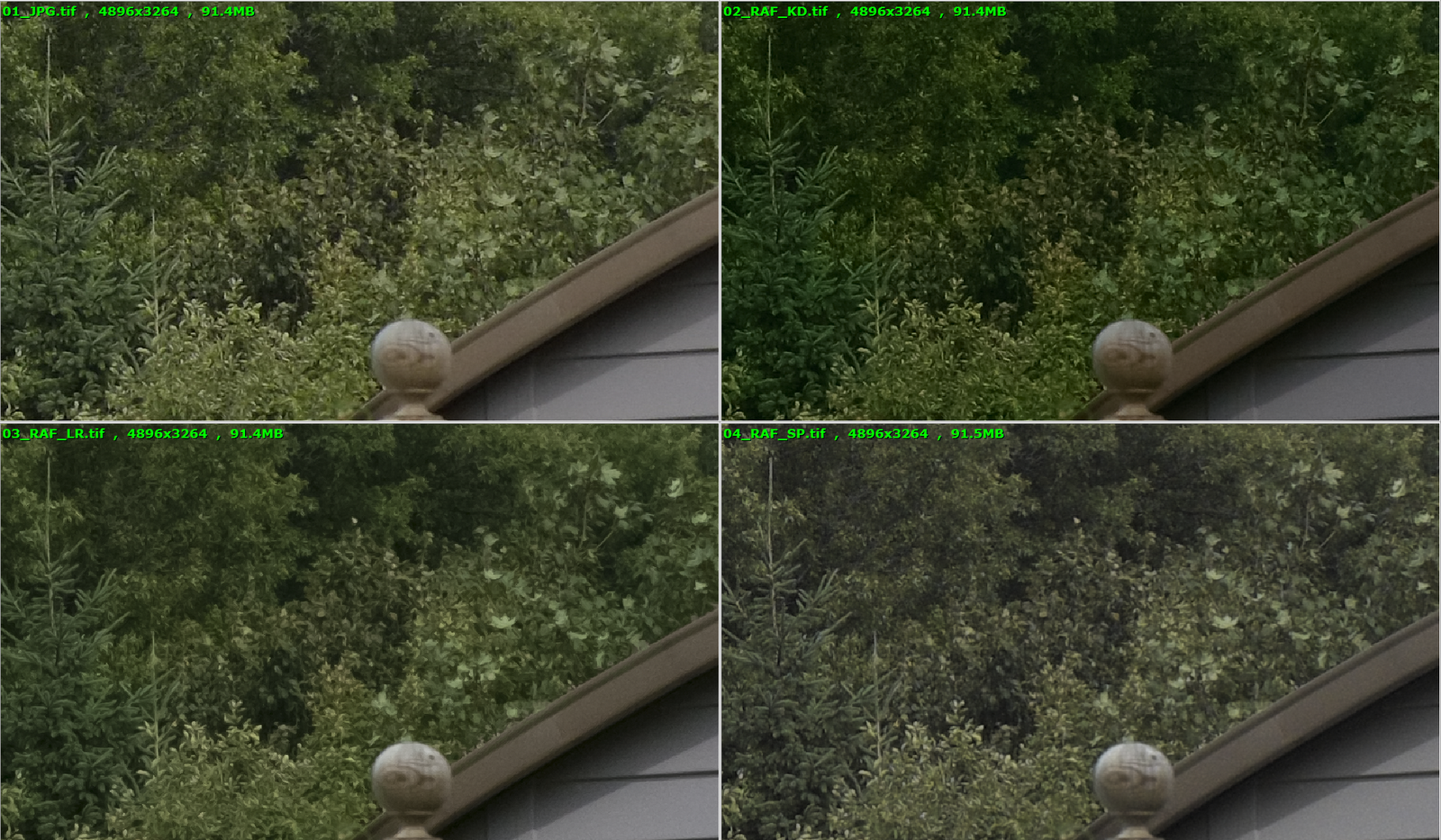
Today I tried a new workflow published by Kinematic Digit on Flickr and it works really well. Here is my comparison:
01_JPG.tif - OOC jpeg
02_RAF_KD.tif - raw file converted using KD's method
03_RAF_LR.tif - raw file converted with LR standard settings
04_RAF_SP.tif - raw file converted with Silkypix
Results are very good but I still can't still justify an extra work.
Cheers,
vkphoto
Today I tried a new workflow published by Kinematic Digit on Flickr and it works really well. Here is my comparison:
01_JPG.tif - OOC jpeg
02_RAF_KD.tif - raw file converted using KD's method
03_RAF_LR.tif - raw file converted with LR standard settings
04_RAF_SP.tif - raw file converted with Silkypix
Results are very good but I still can't still justify an extra work.
Cheers,
vkphoto
Subscribe to:
Comments (Atom)